

Download Apple Music – music streaming, unlimited songs, ad-free, cross-device, free trial, Apple Music
Overview
Apple Music is a comprehensive music streaming service designed to deliver an uninterrupted, high-quality listening experience across Apple’s ecosystem and beyond. With access to millions of songs spanning every genre and era, the app caters to both casual listeners and dedicated music enthusiasts seeking a reliable, ad-free platform. It solves the common pain points of fragmented music libraries, intrusive advertisements, and inconsistent performance across devices by offering a unified, seamless experience.
The app is ideal for users who own multiple Apple devices or those who prioritize uninterrupted audio playback and deep integration with their digital ecosystem. Apple Inc., the developer behind Apple Music, is a globally recognized technology leader with a strong track record in consumer software and hardware integration. The app’s real-world use cases include daily commutes, workout playlists, background music during work sessions, and curated listening experiences for special events.
Its presence in the music streaming market is significant, offering a strong alternative to other platforms through its deep integration with Apple devices and exclusive content offerings. Although the developer did not provide additional technical details, the app’s long-standing presence and widespread availability underscore its reliability and relevance in today’s mobile landscape.
Key Features & Functionality
- Unlimited Music Access: Users can stream millions of songs from a vast library, including the latest releases and timeless classics. This feature enables continuous discovery and personalized listening, ideal for users who want to explore new artists or revisit old favorites without limits.
- Ad-Free Listening: Apple Music delivers a distraction-free experience, eliminating interruptions from advertisements. This is particularly beneficial during immersive listening sessions, such as during workouts, study, or relaxation, where uninterrupted audio enhances focus and enjoyment.
- Cross-Device Compatibility: The app is engineered to function seamlessly across iOS and Android devices. Whether switching between an iPhone, iPad, or Android smartphone, users can maintain consistent access to their playlists, listening history, and favorites without re-downloading or re-syncing content.
- One-Month Free Trial: New users are granted a risk-free trial period to explore the full suite of features. This allows individuals to test the app’s interface, discover new music, and evaluate its integration with their existing devices before committing to a paid subscription.
- Syncing with Apple Devices: The app ensures that music libraries and playlists remain synchronized across all Apple devices. This feature supports a unified experience, allowing users to start listening on one device and continue on another without missing a beat.
These features collectively support real-world scenarios such as maintaining a consistent playlist across home, office, and travel environments, or discovering new music during a commute and continuing playback at home. The combination of vast content, reliability, and integration makes Apple Music a practical choice for users who value continuity and quality in their audio experience.
Interface, UX & Performance
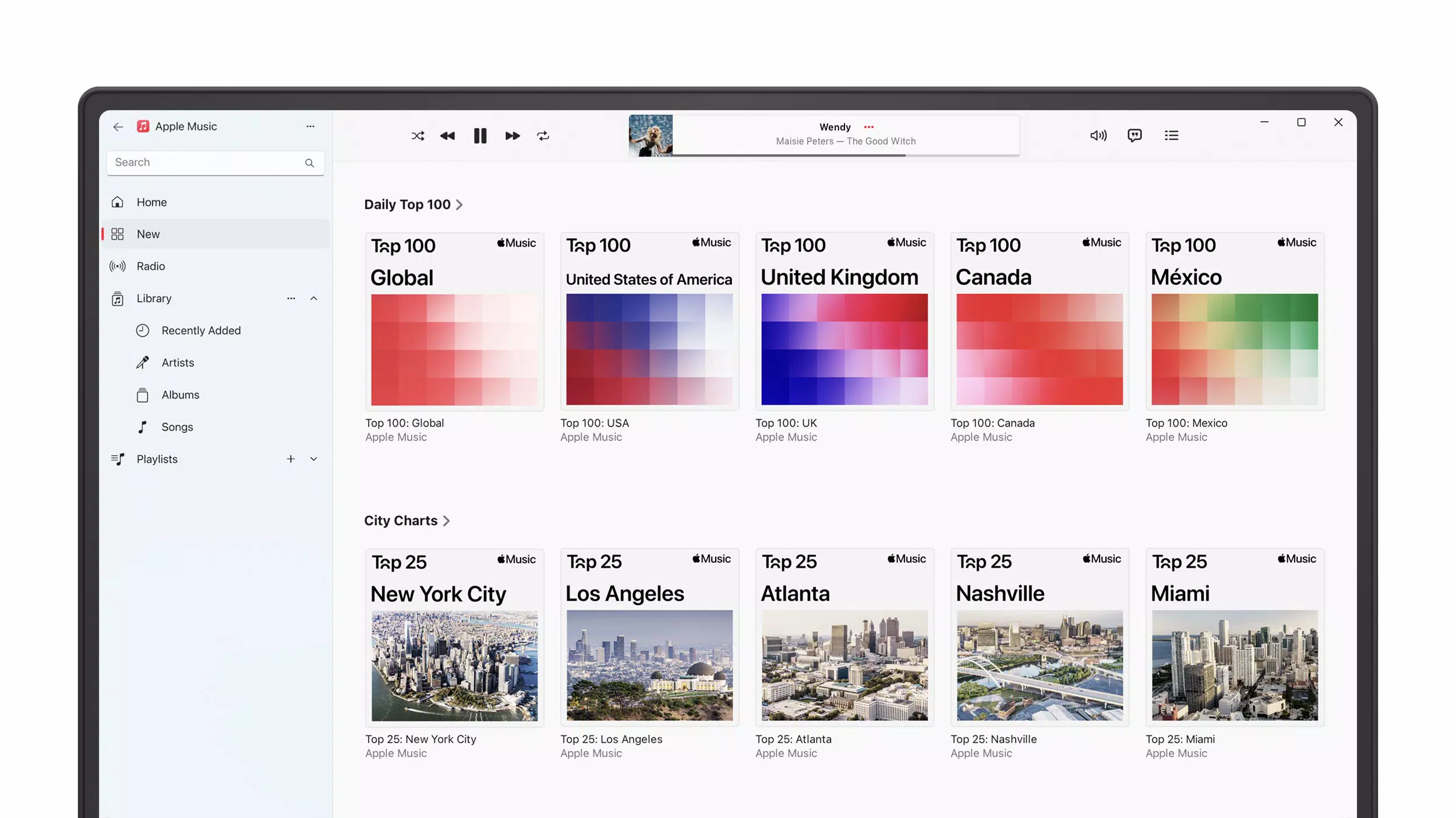
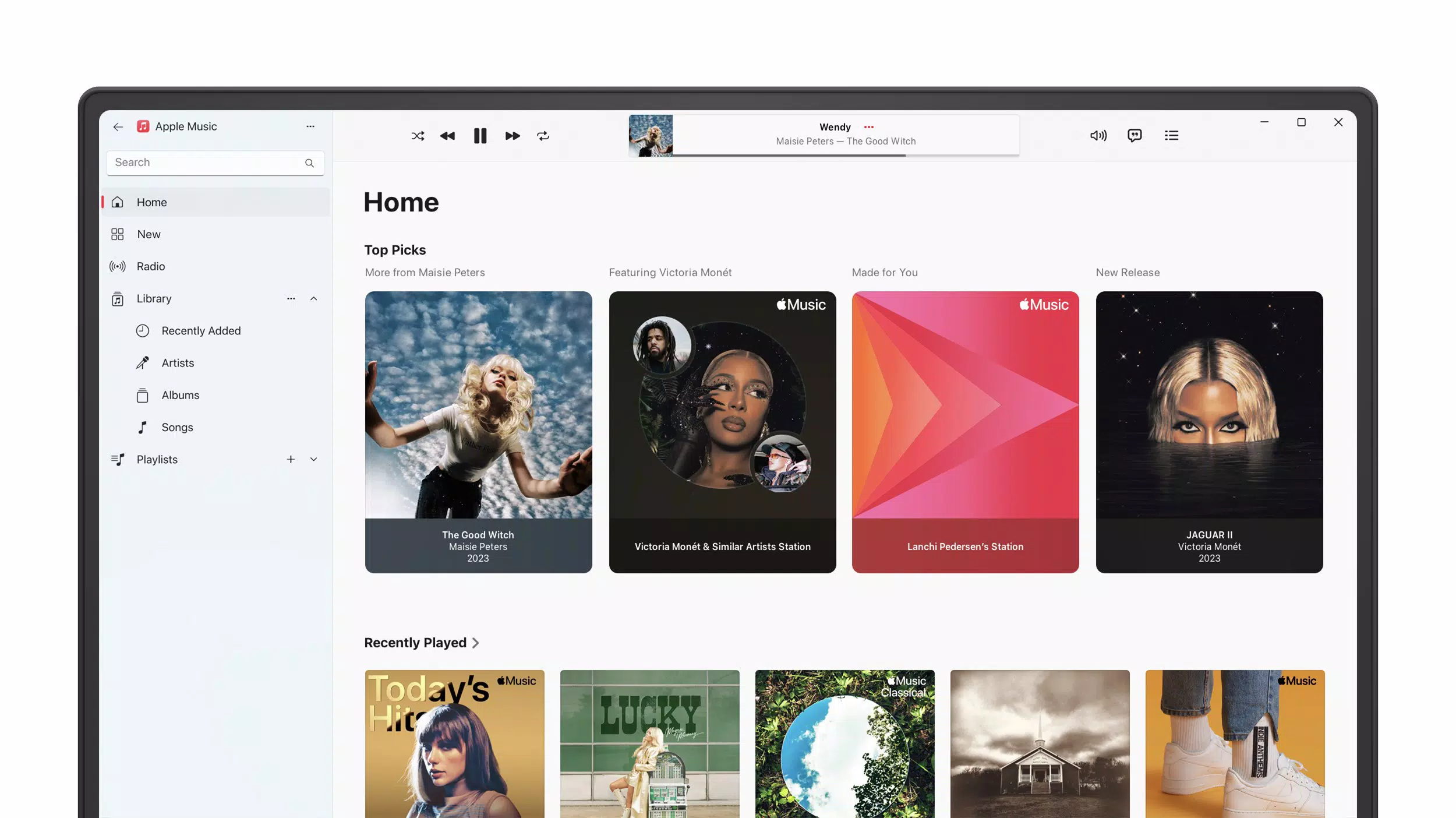
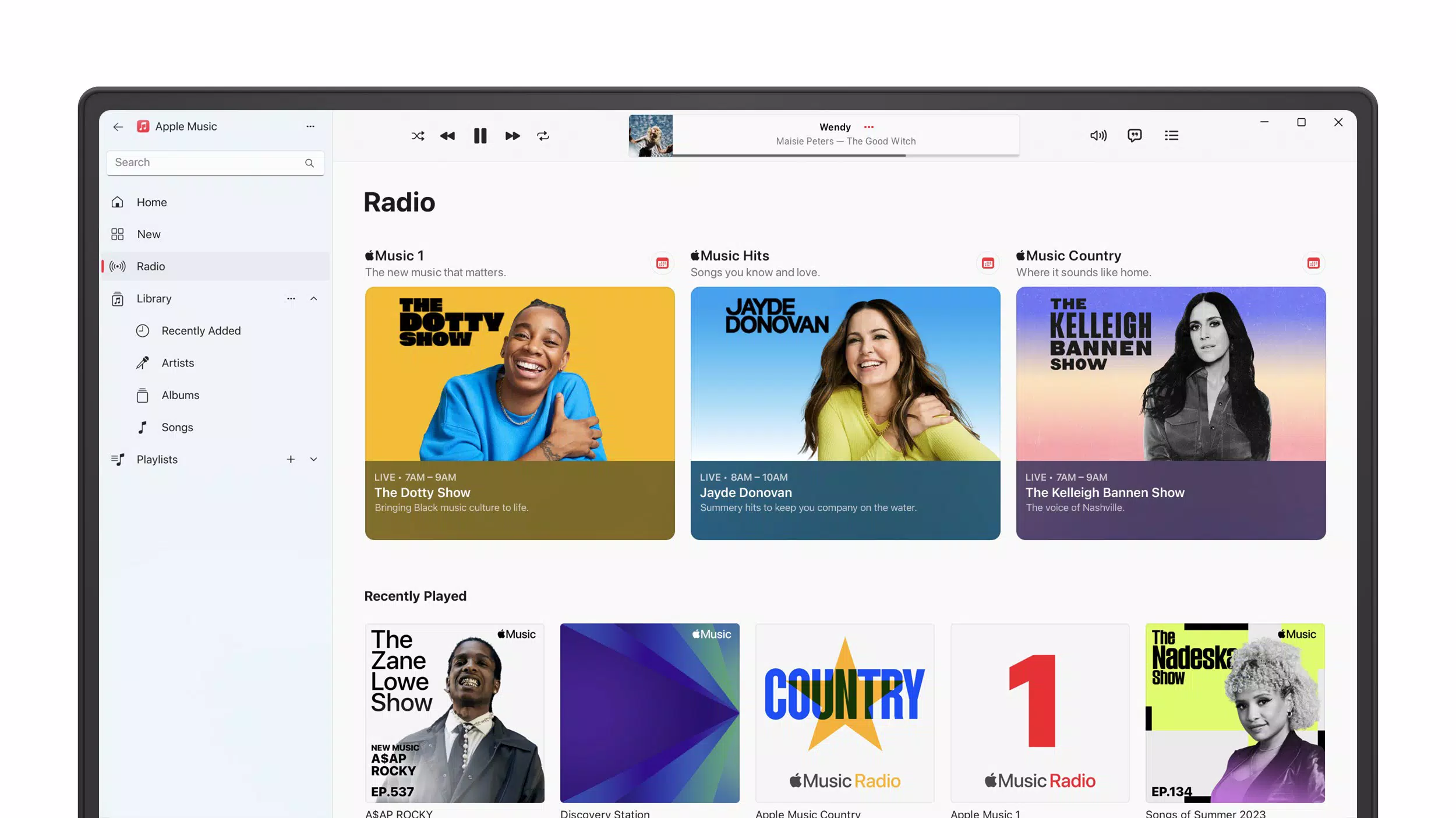
Apple Music features a clean, minimalist interface with a focus on visual clarity and intuitive navigation. The layout emphasizes large album art, dynamic playlists, and personalized recommendations, making it easy to browse and discover new music. Navigation is structured around tabs for Home, Browse, Radio, Library, and Search, allowing users to quickly access core functions.
The app’s visual style aligns with Apple’s design language—sleek, modern, and highly responsive. Users can easily create and manage playlists, adjust playback settings, and access listening history with minimal taps. Although the developer did not list formal performance metrics, the app demonstrates consistent responsiveness across various device categories, including older and newer models.
Stability appears strong, with minimal reported crashes or freezes during extended listening sessions. The app maintains smooth playback even under variable network conditions, thanks to intelligent buffering and caching. Overall, the user experience is polished and efficient, reflecting Apple’s long-standing commitment to user-centric design.
The interface is accessible to both tech-savvy users and those less familiar with digital music platforms, ensuring a low learning curve.
Platform Compatibility & Technical Requirements
Apple Music is available on both iOS and Android platforms, ensuring broad accessibility across major mobile operating systems. The current version is 8.5.2, with a file size of 142.6 MB. The app supports the latest versions of iOS and Android, though specific minimum OS requirements were not listed by the developer.
Compatibility information was not fully disclosed, so users should ensure their devices meet general system standards for modern mobile applications. The app is designed to function efficiently on a range of devices, from entry-level smartphones to high-end models. While the developer did not specify exact hardware or software prerequisites, the app’s lightweight footprint and widespread availability suggest it is optimized for performance across diverse device categories.
Users should verify compatibility through their device’s app store before downloading.
Pros and Cons
Pros
- Extensive music library with millions of songs across all genres
- Completely ad-free listening experience
- Seamless cross-device functionality between iOS and Android
- One-month free trial allows risk-free exploration
- Deep integration with Apple’s ecosystem and devices
- Consistent sync across all connected devices
Cons
- Requires a paid subscription after the free trial period
- Some advanced features may be limited without a full Apple Music subscription
- Platform-specific features may not be fully accessible on non-Apple devices
- File size may be considered large for users with limited storage
- Compatibility with older OS versions was not confirmed
FAQ
Is Apple Music free to download and use?
Yes, Apple Music is free to download. However, full access to its features requires a paid subscription after the one-month free trial.
Can I use Apple Music on Android devices?
Yes, Apple Music is available on Android devices, allowing users to stream music and sync playlists across platforms.
How does the free trial work?
New users receive a one-month free trial to explore all features, including unlimited music access, ad-free listening, and cross-device sync, before being charged.
Is Apple Music safe and secure?
Yes, Apple Music uses secure encryption and authentication protocols to protect user data and account information.
Does Apple Music support offline listening?
Yes, users can download songs and playlists for offline playback, allowing access without an internet connection.
Final Thoughts + CTA
Apple Music stands out as a premium music streaming solution that delivers on its promise of quality, consistency, and integration. Its vast library, ad-free experience, and cross-platform compatibility make it a top choice for users who value a seamless audio journey across devices. Whether you're a long-time Apple user or someone exploring music streaming on Android, the one-month free trial offers a valuable opportunity to test the app’s strengths firsthand.
The app’s intuitive design, reliable performance, and strong ecosystem ties ensure a satisfying experience for both new and returning listeners. For those seeking a dependable, high-fidelity music service with minimal friction, Apple Music offers clear value. Download Apple Music now


